AI-Assisted Object Valuation

Scan it. Value it. Know before you sell.

AI-assisted object valuation reports from your phone.

VisualBucks helps turn mystery objects into structured AI-assisted valuation reports. Capture evidence photos, document labels and condition details, run fast or deep scans, and save your results for later review.

AI-assisted estimates for informational use only. Not a professional appraisal.

Three Ways To Value An Object

Every scan uses your photos — no hands-on inspection. Pick the level that fits how much detail you want. Times below are rough maximums; many scans finish sooner.

Fast Scan

Roughly 1–1½ min (up to 90 sec)

A quick pass over your 3 required photos for a fast identification and value range.

What it looks at

  • Overall object shape, type, and category
  • Close-up details — materials, wear, and construction
  • Labels, barcodes, stamps, or maker marks
  • Broad estimated resale value range
  • Basic confidence and quick resale notes

1 credit · 3 images

Deep Analysis

Roughly 2–3 min (up to 180 sec)

More time on the same 3 photos for stronger condition, rarity, and pricing reasoning.

What it looks at

  • Everything in Fast Scan, reviewed more carefully
  • Visible condition, damage, and wear grading
  • Brand, maker, edition, signature, or serial clues
  • Rarity and collectibility signals from your images
  • Comparable resale logic and likely demand
  • Stronger value range and listing guidance

3 credits · 3 images

Premium Research Grade

Roughly 4–6 min (up to 360 sec)

The deepest in-app review — your 3 core photos plus 2 extra research images.

What it looks at

  • Everything in Deep Analysis
  • Extra angles for construction, materials, and craftsmanship
  • Hallmarks, identifiers, scale, and completeness
  • Condition factors that strongly affect high-value items
  • Stronger rarity, market-fit, and resale strategy notes
  • Highest-confidence estimate available in the app

5 credits · 5 images · Subscribers

Image-based estimates only — not a certified appraisal. Accuracy depends on photo quality and visible evidence.

How VisualBucks Works

Capture evidence photos, choose a scan tier, and receive a structured valuation report. See accuracy ranges, tips, and full details →

  1. 1

    Capture the object

    Take evidence photos from multiple angles.

  2. 2

    Add identifying details

    Document labels, maker marks, barcodes, signatures, serials, and visible condition details.

  3. 3

    Run valuation

    Generate an AI-assisted report with estimated value range, confidence indicator, condition notes, and market-style reasoning.

  4. 4

    Save or share

    Reopen reports from scan history and use them for resale preparation, collecting notes, or item research.

Built For Real-World Finds

Thrifters

Check finds before buying.

Resellers

Prepare listings faster with structured item notes.

Collectors

Document visible details and estimated value ranges.

Home users

Research household items, décor, tools, and mystery objects.

Estate / garage sale users

Sort items before selling, donating, or researching further.

From Scan to Structured Report

AI-assisted object valuation

Structured estimated value ranges with supporting notes — not a guaranteed appraisal.

Evidence photo capture

Document labels, marks, barcodes, and condition with guided capture.

Fast and deep scan modes

Choose a quick read or a deeper valuation session when you need more detail.

Scan history

Revisit past scans and compare finds over time.

Local report reopening

Open saved reports from your device for offline review.

Google Sign-In

Connect your account, scan balance, and saved history across sessions.

Scan credits and subscriptions

Purchase packs or subscriptions through Google Play when available in your region.

Admin-supported reliability

Backend support for account features, billing verification, and service reliability.

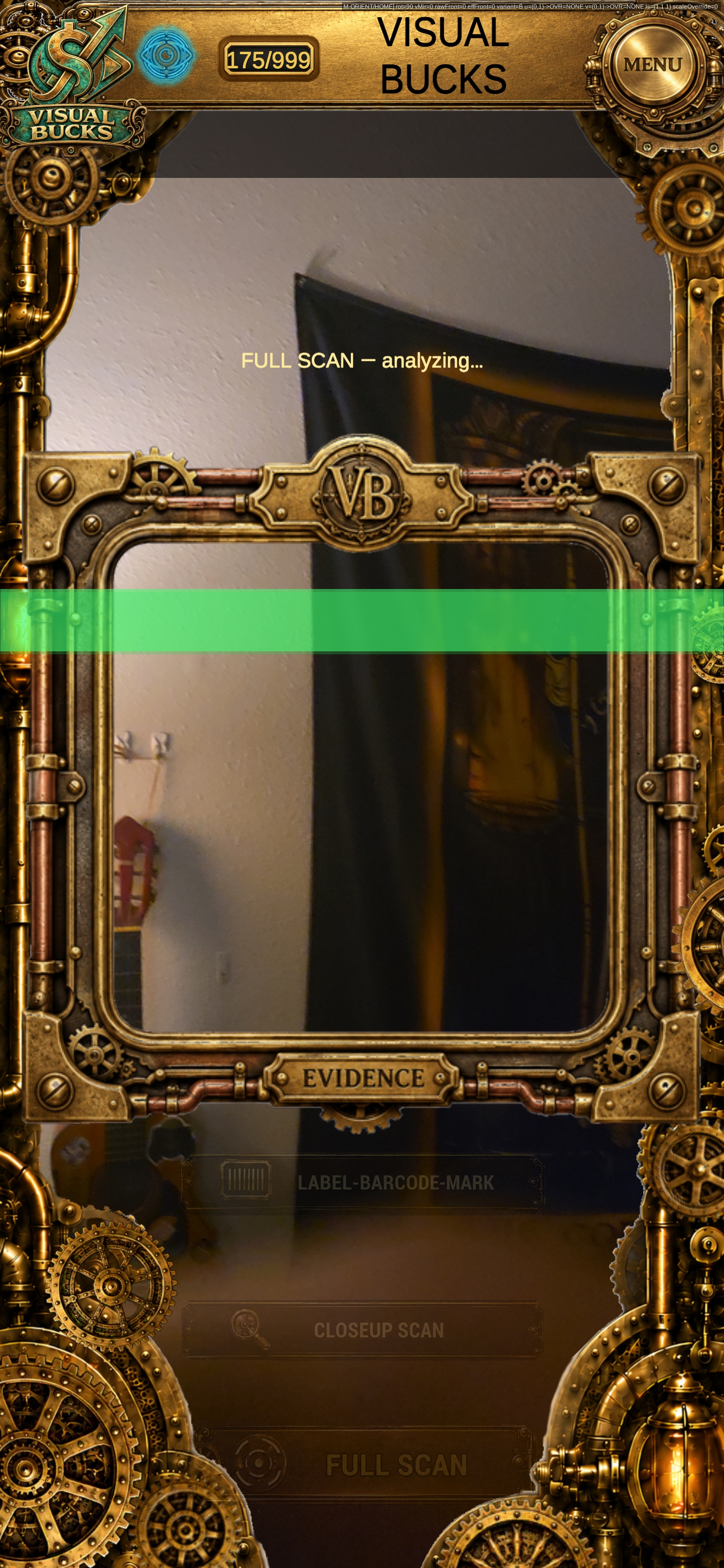
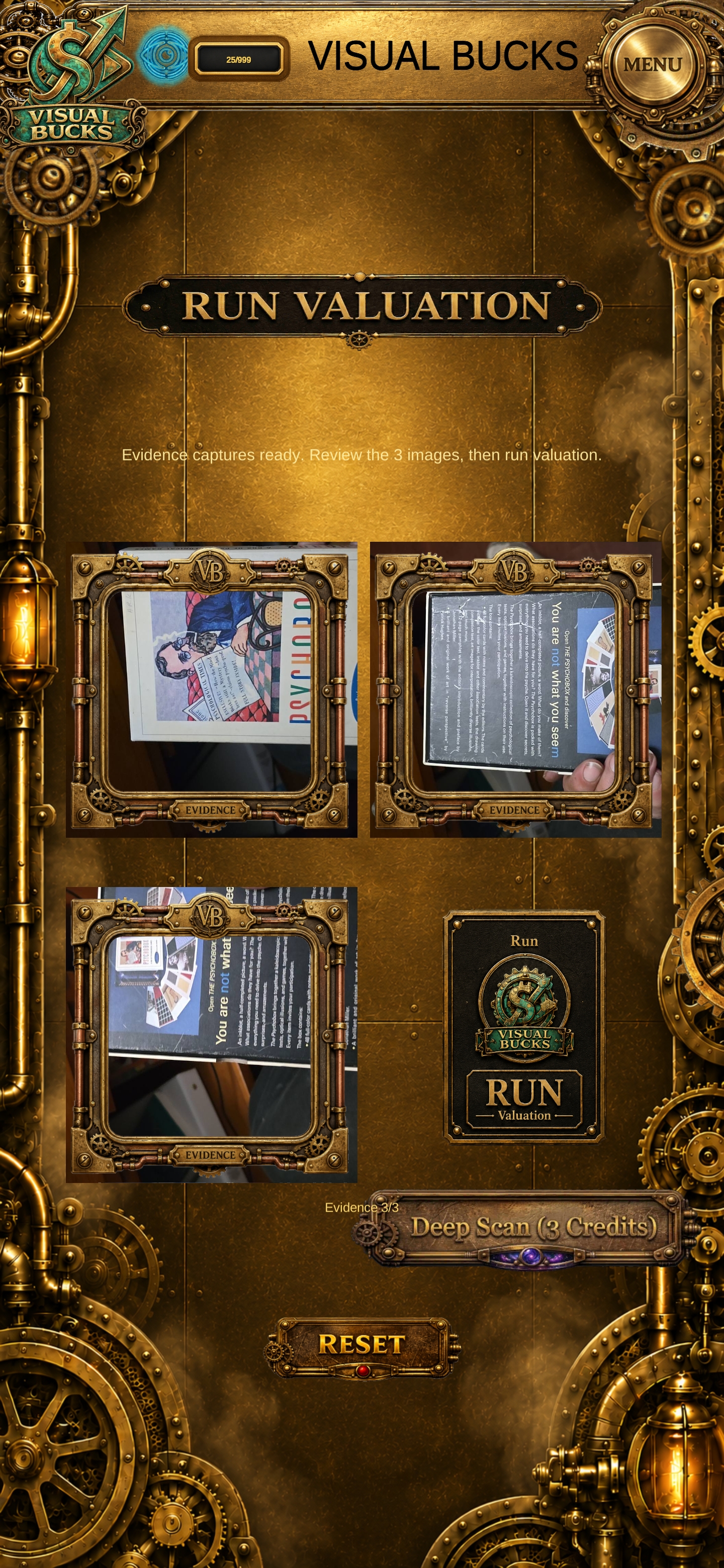
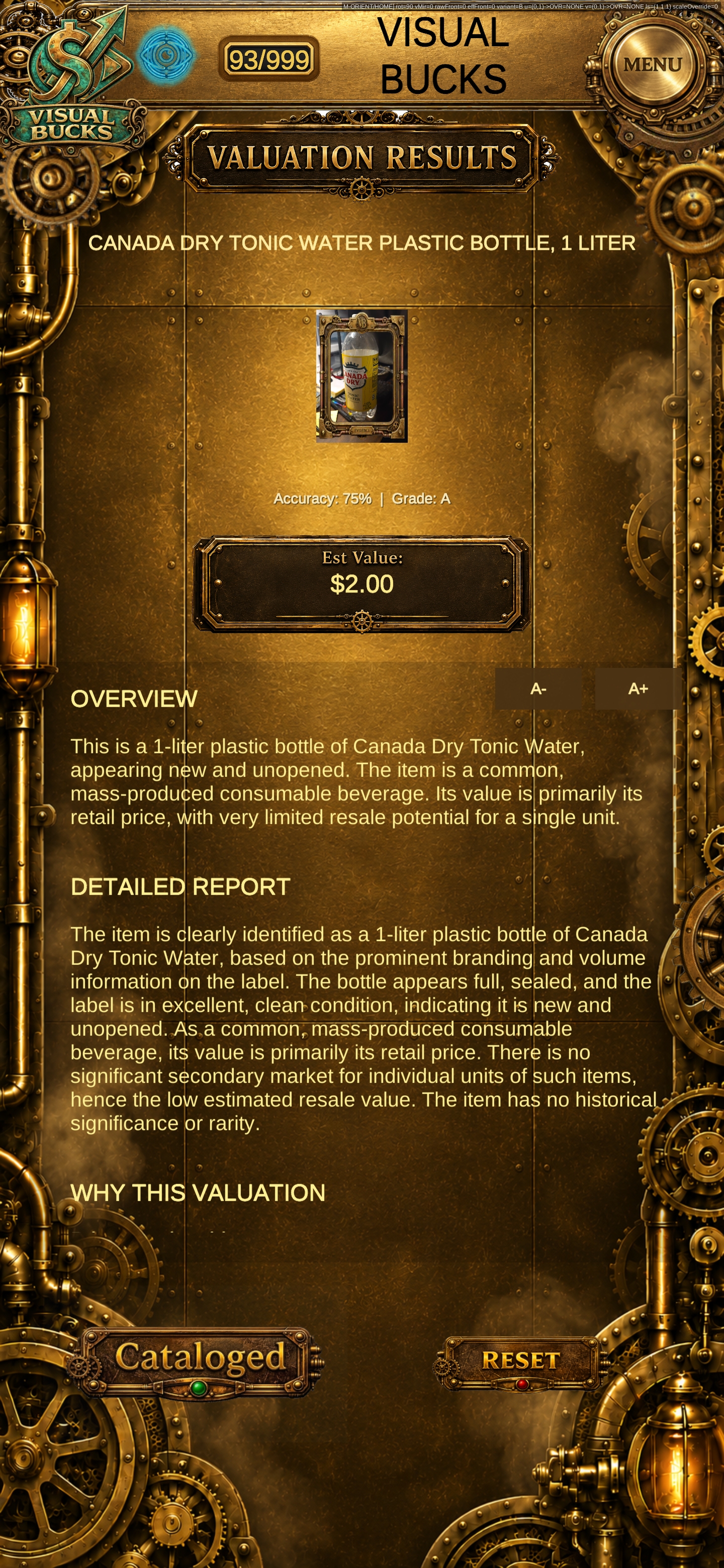
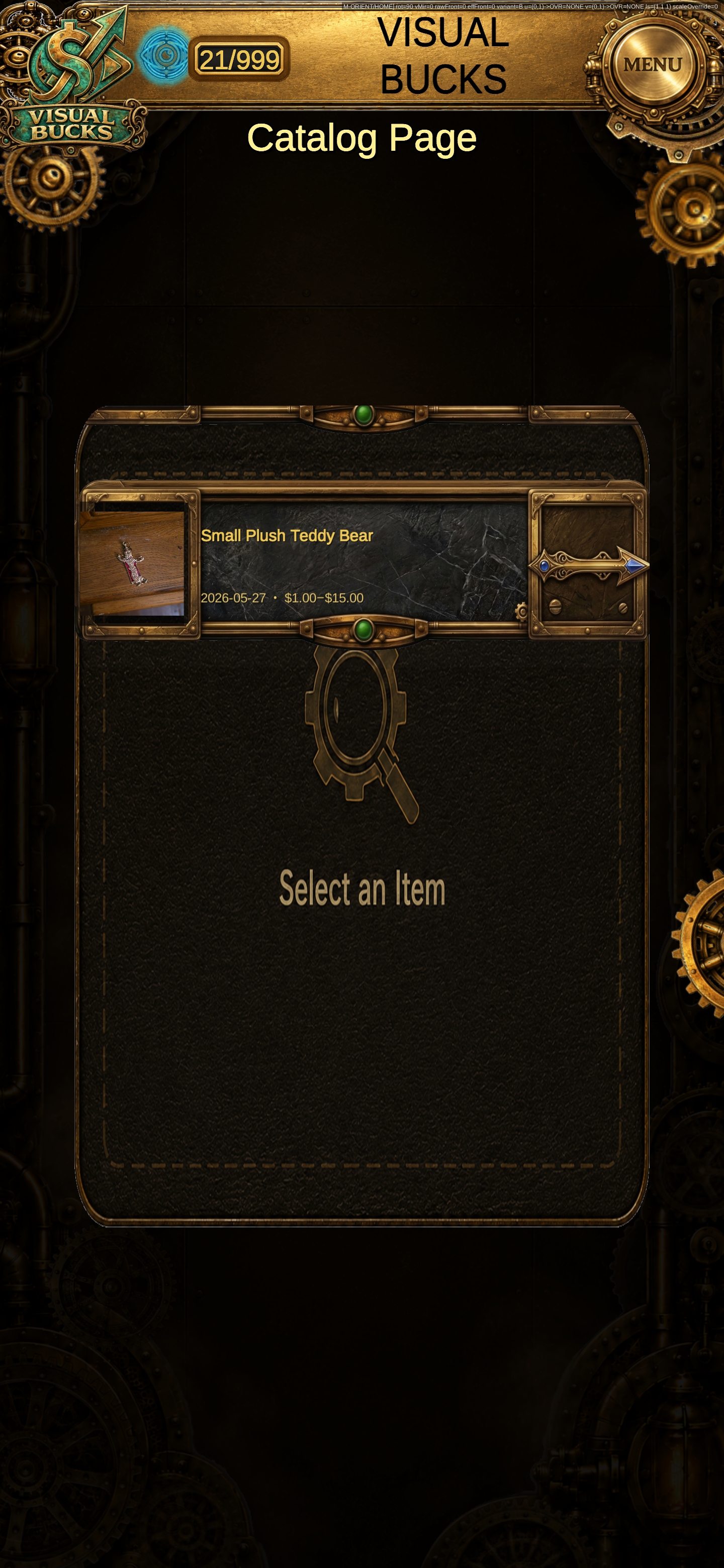
Real VisualBucks screens — scan capture, valuation workflow, results, and saved history.

VisualBucks scan capture screen with framed camera view
Scan screen
VisualBucks run valuation screen with evidence photos
Run Valuation screen
VisualBucks valuation results screen showing estimated value and report
Valuation Results screen
VisualBucks catalog page showing saved scan history
Scan History screen
Store / Pricing screen — screenshot coming soon
Store / Pricing screen

See VisualBucks in Action

Watch how VisualBucks moves from object evidence capture to AI-assisted valuation results and saved scan history.

Important Information

VisualBucks provides AI-assisted estimated valuations for informational purposes only. Results may vary based on condition, image quality, identifying information, demand, timing, region, buyer interest, and resale platform. VisualBucks does not guarantee authenticity, resale price, professional appraisal accuracy, insurance value, legal value, tax value, or final market value. See our Valuation Disclaimer for more detail.